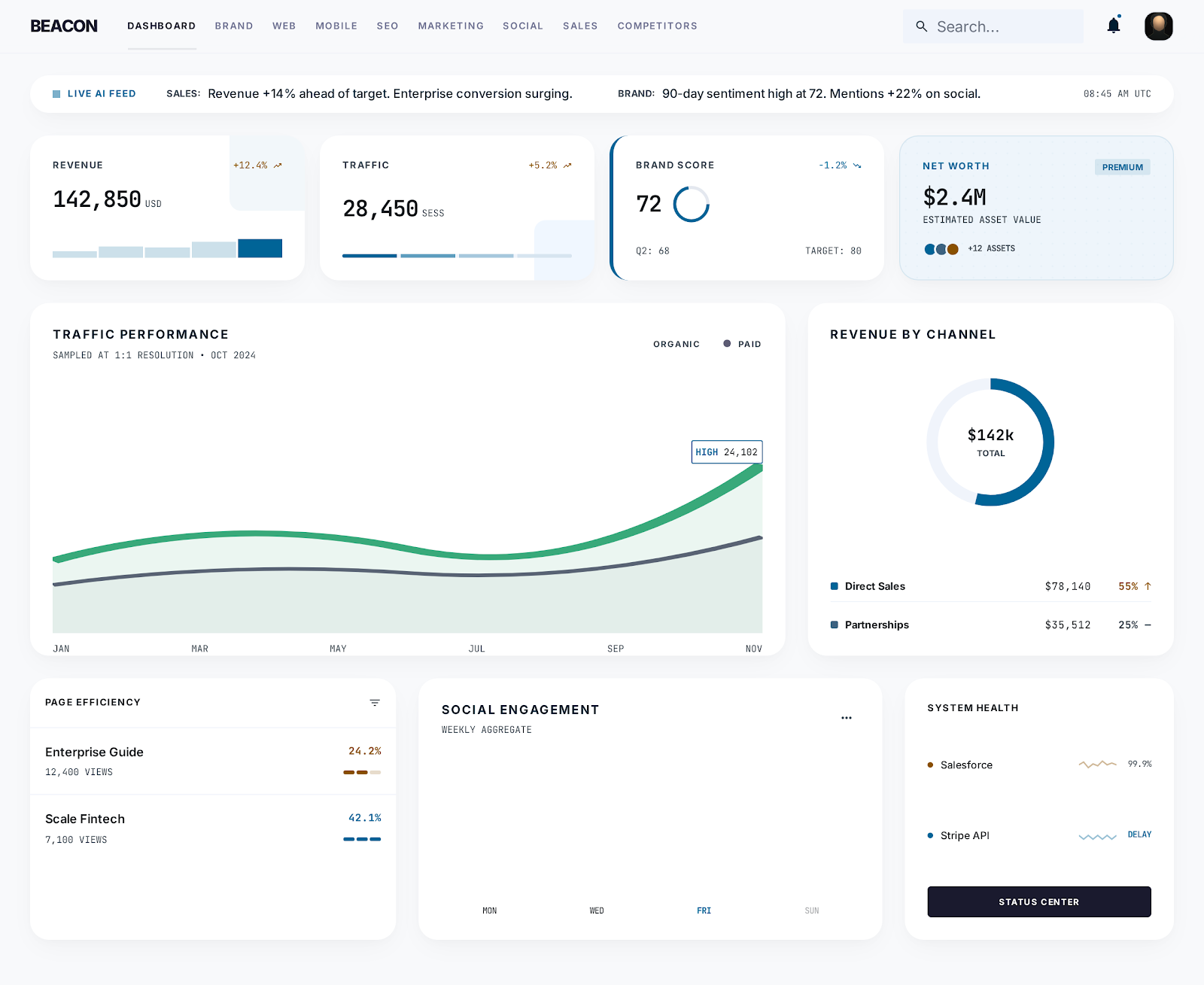
An executive dashboard can have accurate data and still fail its users. The problem usually begins before the first API connection or chart component. It begins when the team treats the dashboard as a collection of metrics instead of a decision system.
Why do executive dashboards fail?
Executive dashboards fail when they show every available metric without explaining which changes matter. A useful executive dashboard turns source data into operating context: what changed, why it may have changed, how fresh the evidence is, and which issue deserves attention next.
Start with the operating question
Senior leaders do not open a dashboard because they want more data. They open it because something needs attention. Revenue slowed. Acquisition costs changed. Search visibility moved. A product release affected customer behavior. The first design question is therefore not "which KPIs should we show?" It is "which operating questions should this page answer?"
A useful executive dashboard should make three things clear:
- What changed?
- Why might it have changed?
- What deserves action now? If a metric does not help answer one of those questions, it probably belongs in an analyst view rather than the executive layer.
This is the core design principle behind Beacon. The dashboard is not meant to replace every analytics tool. It is meant to summarize the company's operating picture across brand, web, mobile, Market Radar SEO, marketing, social, sales, and competitors.
Separate signal from inventory
Many dashboards become inventories of every available data point. That creates the appearance of completeness while making the interface slower to interpret. A stronger model separates the executive signal from the supporting evidence.
The executive layer should show a small number of changes, risks, and opportunities. Each signal should lead to a deeper view where the user can inspect the source data, time range, segment, and related systems. This preserves context without forcing every detail into the first screen.
Signal should also be written in business language. "Organic sessions down 12%" is useful evidence, but it is not the full executive signal. A stronger version says which segment moved, whether the drop is outside the normal range, which pages or queries changed, and whether the same movement appears in pipeline or conversion data.
Design the data contract before the chart
Chart selection should follow data normalization. If web analytics, mobile analytics, SEO, social, sales, and competitor data all use different time ranges and naming conventions, visual consistency will hide analytical inconsistency.
Define the period, source, update cadence, ownership, and comparison method for each metric before designing the component. That contract becomes especially important when an AI-generated brief summarizes changes across multiple systems.
At minimum, each dashboard metric needs source, grain, freshness, comparison, and action-owner rules:
- Source: where the metric comes from and who owns the connection.
- Grain: whether the data is daily, weekly, monthly, account-level, page-level, or campaign-level.
- Freshness: when the value was last updated and whether it is live, delayed, estimated, or demo data.
- Comparison: which prior period or benchmark defines change.
- Action owner: who should investigate when the metric moves. Without this contract, AI summaries become risky. They may correctly summarize numbers while missing the difference between stale data, partial data, demo data, and authoritative production data.
Make uncertainty visible
Executive software should distinguish live data, delayed data, estimates, and demo data. Quietly mixing them damages trust. A small source and freshness treatment is more useful than adding another decorative score.
Beacon is being built around this operating model: connected views for brand, web, mobile, search, marketing, social, sales, and competitors, with an executive layer that summarizes what changed and where to investigate next.
This is also why dashboard projects often overlap with SaaS platform development. A serious dashboard needs authentication, permissions, source connections, normalized data, account context, admin controls, and supportable deployment. The chart is only the visible layer.
What an executive dashboard should include
A useful executive dashboard should include:
- A short operating brief that summarizes the most important changes.
- A small set of current signals, risks, and opportunities.
- Source freshness and data status for each connected system.
- Period-over-period comparison rules that are visible and consistent.
- Drill-down paths from executive summary to source evidence.
- Clear separation between company-level signals and analyst-level detail. The dashboard should avoid pretending every metric has equal weight. If everything is prominent, nothing is prominent.
Where AI helps and where it should stay constrained
AI is useful for summarizing changes, grouping related signals, detecting unusual movement, and drafting operating briefs. It should not hide the evidence. Every AI-generated dashboard summary should point back to source data, comparison windows, and known uncertainty.
For Commerce Beacon, this is the difference between an AI-flavored dashboard and an AI-supported operating system. The first adds generated text to charts. The second gives leadership a faster way to understand what changed without losing the path back to evidence.
Common questions
What is the first step in building an executive dashboard?
Start by defining the operating questions the dashboard must answer. Do not start with chart types, data connectors, or a KPI wish list.
How many metrics should an executive dashboard show?
Show as few as needed to make the operating picture clear. Supporting data can live behind the executive layer, but the first screen should focus on changes, risks, opportunities, and source status.
Why does source freshness matter?
Freshness tells leaders whether a number is live, delayed, estimated, or stale. Without that context, a dashboard can look precise while quietly mixing data that should not be compared.